Controls for Controller in the Dominant Hand
Use the controller in your dominant hand to choose an activity (Explore, Navigation, or Report), move, or perform precise gestures associated with a command that is currently running.
| Number | Control | Description |
|---|---|---|
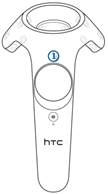
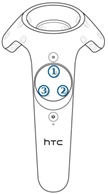
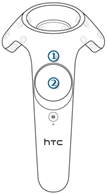
| 1 | Hold to switch activity | Lets you choose an activity: Explore, Navigation, or Report. |
| 2 | Move | Lets you move in space during Fly and Walk modes (during the Navigation activity). |
| 2 | Erase | Lets you erase annotation strokes (during the Report activity). |
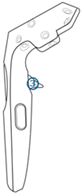
| 3 | Trigger | Selects or moves objects. Validates an action. Plays or pauses an animation. |