Simulate the Entire Machining Operation
You can simulate the entire machining operation for quick validation of tool path.
-
Select
Me
 > Preferences > App Preferences > Simulation > Machining
check box.
> Preferences > App Preferences > Simulation > Machining
check box.
-
Click Play Forward
 to run the simulation.
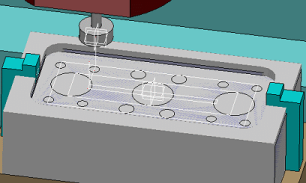
Note:A number of other commands can also be run while you run the machine simulation, including simulation commands such as Data Readout and view commands such as Zoom In
 .
.When you click other commands (example, Zoom In), the simulation pauses. Once that command finishes its work, click Play Forward
to re-start a paused simulation.When you use the Zoom In command or menu option, you are using a shared command. Using the mouse to Zoom In is not the same as using the Zoom In in this context.
 in Equipment Design App.
 in Equipment Design App